Automation & Scraping
AI Browser Automation Pro
An AI agent in your browser's side panel that works on the page beside you
Source code
$24.99Chrome · Edge · Brave +2
Point-and-click web scraper with self-healing selectors, a CLI, an API and a scheduler
One-time payment · Delivered as soon as payment confirms · No added fees
Screenshots
Overview
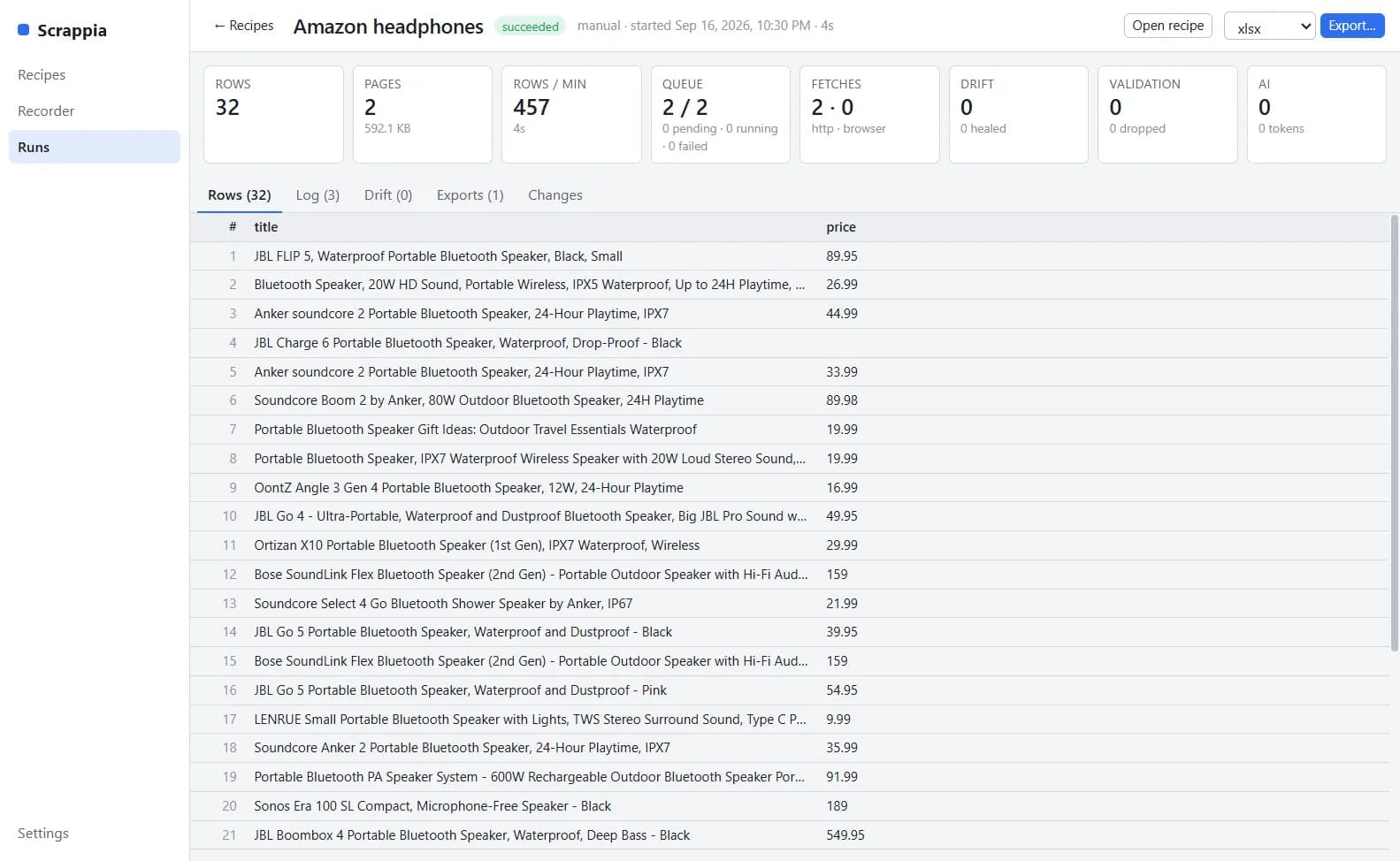
Scrapia is a visual web scraper. You open a site in its recording browser and click the items you want; Scrapia detects the repeating records, proposes fields, generates ranked selectors and shows the data live. The result is a recipe, a JSON file you can run on your desktop, from the command line, on a server through a REST API, on a schedule, or from an AI agent over MCP.
Every field keeps three to five ranked selector candidates. When a site changes, the engine falls through to the next candidate, logs the drift and can ask a language model to repair the selector, verifying the fix before it is used. You get an alert instead of a silently broken scrape.
Pages are fetched over HTTP first and opened in a stealth Chromium browser only when they need JavaScript or present a challenge. Recipes handle next links, numbered pages, load-more buttons, infinite scroll, detail pages, multi-level categories, keyword lists and logins, with per-host rate limits, proxy pools and CAPTCHA solver plugins.
Data comes out typed and clean, with transforms, validation, de-duplication and upserts by key, and exports to CSV, Excel, JSON, Parquet, SQLite, PostgreSQL, MySQL, MongoDB, Google Sheets, Airtable, Notion, S3 and webhooks. Monitoring compares each run with the previous one and alerts you on Slack, Discord, Telegram, ntfy, email or a webhook. An assistant panel in the recorder can build a recipe from a plain-language description, using a cloud model or a local one through Ollama or LM Studio.
Features
Click elements in a real browser and Scrapia finds the records, suggests fields and previews the data live.
Ranked fallbacks for every field, drift logging and optional verified repairs keep scrapes running when sites change.
Fast HTTP fetching that upgrades to stealth Chromium for JavaScript pages, with proxy pools and rate limits.
Pagination, load more, infinite scroll, detail pages, categories, keyword lists and login flows.
Regex, number, currency and date transforms, validation rules, and de-duplication or upserts by key.
CSV, Excel, JSON, Parquet, SQL databases, MongoDB, Google Sheets, Airtable, Notion, S3 and signed webhooks.
Compare each run with the last one and get alerts on Slack, Discord, Telegram, ntfy or email.
Desktop app, command line, REST API with live events, a cron scheduler and a Docker image.
An MCP server exposes recipes, runs and datasets as tools for AI agents, and an assistant can draft recipes for you.
Pricing
Visual scraper, recorder, engine, CLI, API, scheduler and MCP server.
One-time payment · USD · no fees added
What you get
Instant delivery
Download links and your license key by email as soon as payment confirms.
Free future updates
Every future version at no extra cost, on your order page the day it ships.
Security reviewed
Tested by our engineers and by AI-driven analysis before every release.
Pay with crypto
The payment page shows the exact amount, the address and a QR code.
No added fees
You pay exactly the listed price.
Support from real people
Questions go to humans@thinktools.dev.
FAQ
Can't find what you're looking for? See the store FAQ or write to humans@thinktools.dev.
More from ThinkTools
Automation & Scraping
An AI agent in your browser's side panel that works on the page beside you

Telephony & VoIP
Multi-account SIP and IAX2 softphone for desktop, mobile and Raspberry Pi

Desktop Utilities
Real-time voice changer with 78 realistic voices, noise removal and a music bed